Sunday, 6 November 2016

The best OS for Hacking (avoid tracking by authority and enjoy hacking)

BackBox is more than an operating system, it is a Free Open Source Community project with the aim to promote the culture of security in IT environment and give its contribute to make it better and safer. All this using exclusively Free Open Source Software by demonstrating the potential and power of the community. If you'd like to know more feel free to navigate in our web site and get in touch with us.

Generic placeholder image

BackBox Linux

Designed to be fast, easy to use and provide a minimal yet complete desktop environment, thanks to its own software repositories that are constantly updated to the latest stable version of the most popular and best known ethical hacking tools.
Generic placeholder image

BackBox Cloud

BackBox have built one of the very first cloud platforms for penetration testing. If you are interested or curious about exploring BackBox Cloud services please raise an enquiry or pre-register to be among the first BackBox Cloud services clients!
Generic placeholder image

BackBox Community

Get involved with the Community, visit the blog, get in touch with the BackBox Team or just take a look around and explore. BackBox has officially registered as non-profit organization recently so if you'd like to be part of team and organization do not hesitate to get in touch and raise an enquiry.


Now to Download Links :


Share:

Saturday, 29 October 2016

Turn Your Laptop Into WiFi Router and Share pc's connections with phone and other devices !


My WiFi Router 3.0 helps turn your laptop into your own public or private Wi-Fi hotspot. You can allow or blacklist users under Connection Management, share videos, and shut down the computer providing Wi-Fi access automatically by timer.

My WIFI Router, a free virtual WiFi router software, can convert your Windows XP, 7 & 8 laptop/PC into a WiFi Hotspot with one click. You can easily share the internet connection and video with your friends and peers anytime and anywhere. The main features of My WIFI Router: 1. Easy to create a secure wifi hotspot on your PC, and the hotspot's name, the passport and the sharing mode is customizable; 2. You can share all sorts of internet connection ( such as LAN, Ethernet, Data-Card, 3G/4G, Wifi ) for other portable devices; 3. It is clear and easy to get the details of the connected device(Name, Ip Address, Mac Address), and also manage the devices: Black it; Release it; Limit the Network Speed. 4. Free to Share Videos over WiFi: Easy to share and play your computer's videos on other devices including smartphones, tablets & laptop, what's more important is everybody can control the video broadcast speed individually; 5. Extends your Wifi range. Highlights of My WIFI Router: 1. The signal of the wifi hotspot created by My WIFI Router is stronger than other software. 2. It runs stable and occupies less memory. 3. It is easy to create a wifi hotspot, just 3 steps: Open the software -> Input the name and the password -> Click the "Start" Button. 4. Manage the connecting devices:Rename it; Black it; Release it; Limit the Network Speed. 5. Free to Share Videos over WiFi: Easy to share and play your computer's videos on other devices including smartphones, tablets & laptop, what's more important is everybody can control the video broadcast speed individually.
  • What's new in this version:
·  1. New look, new logo, new UI;
·  2. New Features
·  2.1 Manage the connecting devices:Rename it; Black it; Release it; Limit the Network Speed.
·  2.2 Free to Share Videos over WiFi: Easy to share and play your computer's videos on other devices including smartphones, tablets & laptop, what's more important is everybody can control the video broadcast speed individually.
·  3. More stable, less bugs;
  •  Version:
3.0.64
  • Operating Systems:
 Windows XP/ Windows Vista/ Windows 7/Windows 8
  • File Size:
16.7MB
 
Share:

Thursday, 27 October 2016

How to Control (change passwd, cutnet ...) any wifi network as if its your network (no root)


Hi every one today i'll share with you the PRO version of an app that let yu contrl any wifi network , change it's password or cut network for any pther user , here is some fueature of it '' the pro vers''


Network Scanner

Displays IP address, MAC address, Display name, and allows you to customize images/icons and edit display names.


Wifi Strength

Shows Wifi signal strength! Also shows you if you are connected to your internet and displays
 your routers public IP


Access Point Scan

Displays all router Access Points in range to you, what their MAC address are, channel they are using, and their db signal strength.


Access Point Graphs

Displays the current channel your router is operating on and displays how many neighbors are on the same channel. On the channel rating page, it will rate which channel will be your best option to set your WiFi to for speed and reliability.


Connections

Displays ALL connections that are currently connected through your device. It displays established foreign connections, listening IP, and closed connections. Each established IP is checked against 35 Backlisted databases to and displays if the IP’s are trusted or known threats!


Block feature

The most useful/unique feature on this wifi analyzer/network analyzer. Brings you to the router's web interface so you can log in and input the unwanted MAC address into the router's MAC filter table to block the device from using the internet.


 App features and pages
  • Scan page:
  • Displays IP address, MAC address, Display name, and allows you to put image for each device.
  • WiFi Strength page:
  • Give you the db of your WiFi signal strength
  • AP Scan page:
  • Displays all router Access Points in range to you, what their MAC address are, channel they are using, and their
  • db signal strength. You can also, click and log onto each AP from here.
  • AP Graph:
  • Displays the same data as the AP Scan page, but in a graphical form. You can also, click and log onto each AP
  • from here.
  • TCP Connections page:
  • Displays ALL connections that are made to your device. It displays established foreign connections, listening
  • IP, and closed connections.
  • Whois page:
  • If you click on one of the established connections from the TCP Connection page, you will get the whois data
  • from it. Example data: Hostname, ASN, ISP, Organization, service, continent, country, and a MAP.
  • Ping:
  • Allows pinging with IP address or FQDN
  • Traceroute:
  • Allows traceroute with IP address or FQDN
Block feature
  • Brings you to the router web admin interface. From here, enter the user name and password then navigate to
  • the WiFi settings. Here you will find MAC filter table, where you will be able to add MAC address you want to
  • block from the network.
What’s in this version
  • 505 Error fixed
  • Admob skd taken out
  • Addd AP Time chart (still working on it)
How to install ?
  1. Save the downloaded .apk on your android phone’s SD card
  2. Run and install it
  3. That’s it,Enjoy! :)
Share:

Thursday, 13 October 2016

get the fastest vps for free trial 7 days 24h/24


no more explainition just get in the website and click try for free 7days boton and register with your email and enjoy it 
u can use it on computers(windws linux , unix, mac ...) phones (android , iphones, symbians...)


Share:

Tuesday, 4 October 2016

Best RDP Provider (free + premuim + trial)


these are the most uses site tht provide free tril of using rdp with hight speed , njoy them and if you have anyone else please ,,,,,,, show yourself :)


1-- crossbrowsertesting

free 7 days trial with high speed
700mb/s

2--alwaysonpc
 up to 100mb/s , web or phone app 

3--remotedesktopmanager 
Try Remote Desktop Manager Enterprise Edition FREE for 30 days!with speed up to 300mb/s 
Share:

Get Free 10000 gbites = 10tr bites of cloud storage


get 10 trbites for free by registration here and follow the link


then activate your account by clicking the link you'll recive in email , then you'll get 2 trbite , click the link beside your name to get 10 trbite , just share the text they will give you and enjoy (you can delete it later )
Share:

Tuesday, 27 September 2016

Windows 7 Lite full 2016 x32 (692Mb)


Windows 7 Dream Lite 2016 x32 (700Mb)
Windows 7 Dream Lite 2016
Beautiful Look & Graphics 
Fully Activated Windows
Silent & Registered Apps


downloads :


Share:

Monday, 26 September 2016

Best Free Email websites


Email Service

There are many website which provide free email service on their domain. But most people don't know about that.
In now days most people use gmail, hotmail, yahoo mail so here are best free email provider website using of this website your mail domain like different from your friends.
  • Secure email for everybody!
Secure every message with automatic encryption. Tutanota protects your data by encrypting subject, content and attachments of emails.
  • Encryption made easy.
Tutanota automatically encrypts all your data on your device. Your emails as well as your contacts stay private. You can easily communicate with any of your friends end-to-end encrypted. Even subject and attachments as well as all your contacts are encrypted. You can find details here.
  • Tutanota uses open source encryption to secure your email account.
  • Open source and forever free.
Tutanota is licensed under GPL v3 - essential to any encryption service. Open source enables security experts to verify the code that protects your emails. We experience an amazing support from our community. You are the key in showing the world the importance of privacy.
  • Access your secure email account on a desktop or via our Android and iOS app.
  • Secure email - wherever you are.
Simply access your secure mailbox with your favorite web browser from any device. You can also use our mobile apps for Android and iOS. Your password easily unlocks your private key and your encrypted information on any device simply by logging in to your Tutanota account.
Security made easy: The encryption in Tutanota is fully automated so that the user doesn't even notice it.
  • Manage all secure email accounts for your company or family with your own domain with Tutanota Premium. Access your encrypted mailbox via web, Android or iOS app. All data is stored in data centers in Germany.

 2- Yandex :

  • Yandex gives you a free @yandex.com email address, with 3GB of storage on Yandex Disk. You can unlock 7GB more if you do a few simple steps like install the Windows program, upload a file or two, or tell a friend about the service. Yandex is popular in Russia but has language support in 9 other languages including English.
  • users can communicate verbally with the Yandex.Navigator street navigation app instead of typing in addresses manually. The users of our Yandex.Mail service can quickly find certain e-mails in their accounts – such as tickets, appointment or meeting notifications, information about discounts – all automatically marked by our fact extraction technology.
  • Our technologies and services run on tens of thousands of servers. We have Russia’s largest network for data storage and processing. We share our data processing capacities with our partners working in, among other things, nuclear research and geological exploration.

3- Mail.com :
  • Personalized solutions and experiences are becoming more popular than ever. With mail.com we are offering a personalized email and communication platform, where people get more than a "one size fits all" webmail experience.
  • mail.com provides its users with an unparalleled selection of more than 200 unique domains to pair with their desired address at no cost. Users can choose a domain that fits their lifestyle, profession, location, or personality, and through this personalization, their email address will become an expression of who they are, or where they are from.
  • For example USA.com, Europe.com and Asia.com as well as many other geographically focused domains are available.
  • Users who want an email address to communicate their profession can select from a wide range of professionally focused domains such as Doctor.com, Financier.com, Publicist.com, Engineer.com, and Consultant.com. For the passionate music fans, the portfolio of fan domains includes elvisfan.com, madonnafan.com, metalfan.com and reggaefan.com amongst others.Every email address is completely free.
8141305AOL Mail is a free web-based email (webmail) service provided by AOL. The service is sometimes referred to as AIM Mail where AIM stands for AOL Instant Messenger which is AOL's instant messaging service. During the summer of 2012, AOL Mail got a new look, its first significant overhaul in five years.
  • Email storage capacity: unlimited
  • Email attachment limit: 25 MB
  • Supported protocols: POP3, SMTP, IMAP
  • AIM Panel with a full buddy list, and indicators to show presence of online buddies, as well as shortcuts to sponsored popular web sites.
  • email unsend capability (for mails sent to another AOL or AIM mailbox)
  • Domains: @aol.com and additionally @love.com, @ygm.com (short for you've got mail), @games.com, and @wow.com
  • Supports SSL/HTTPS after login
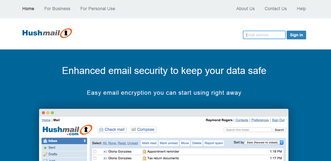
8851985With Hushmail, you don’t need additional email providers because we integrate the encryption component seamlessly with our email service. You are able to send and receive emails as with any regular email service, but you also have the option to encrypt your emails for extra protection. The encryption is automatic between Hushmail users. For everyone else, you can manage it with a checkbox located in the Compose window of our webmail.
Hushmail can be used immediately without installing any software or hardware because we are a fully hosted web-based service. Access your email from anywhere via a web browser or by setting up your Hushmail account in your favorite email app on your smartphone or PC.
 5- ZoHo :

  • The best of both worlds.
Experience a clean, fast Webmail with features matching or superior to those found in desktop email clients. Take control of your Inbox, and free yourself from software upgrades.
  • No ads, privacy guaranteed.
At Zoho, we value user data and privacy. We never display ads, even in our free plans, and your email exchanges are never scanned for keywords.
  • Email plus online office.
The Zoho Mail suite includes Zoho Docs. Your team can create, edit and collaborate on text, presentation and spreadsheet documents using the most sophisticated online editors. Work faster and improve productivity with an online office.
  • Smooth setup and management.
Quickly set up email with a step-by-step setup wizard. Easily manage email policies, groups, mailbox quotas, and more using an extensive Control Panel.
  • Secure and reliable.
As a provider of more than 25+ apps that go beyond email, Zoho products are protected with multiple layers of secure infrastructure, and have a 99.9 percent uptime guarantee.
Share:

Saturday, 16 July 2016

best BTC website with $0.02 Minimal payout and for verified/non verified paypal

best BTC website with $0.02 Minimal payout and for verified/non verified paypal

i'm working on it me too
just try it and you will see i gt 0.1 usd from the first day


Share:

Become A Millionaire!!! With Bitcoin (legal totu) step1


Become A Millionaire!!!
All of you viewing this would like to earn FREE MONEY! And the best way to earn money is to do tasks online, but what if you can get free money by doing……JUST NOTHING!

With this guide, you can earn lots and lots of Bitcoins by spending just 10 minutes daily.
Steps

First register a free account on XAPO. This is necessary as this is a Bitcoin Wallet and you will recieve all your Bitcoins HERE.
I recommend this as this is the best wallet, secure and gives you 10,000 Satoshi just for registering.

Go to BTCClicks and register. This will help you earn money by clicking and viewing adverts. But don’t worry, I have a solution for that in the 2nd Part of this guide!

Here’s the fun part, just enter the e-mail you used to register a Xapo Account here and feed the zebra every hour to get assured Bitcoins! Such websites are called faucets. They give you free Satoshi [1 Satoshi = 0.00000001 BTC or Bitcoins] by just entering a Captcha.

This is one of the Best Faucets, this lets you accumulate Satoshi. You can collect the Satoshi after any period of time [Minimum 5 Minutes]. All these shifted directly to your Xapo!


This is the same as others, but you can multiply your earnings here. They have the highest payout too!
Note
  1. Please visit ALL these faucets DAILY to earn huge amount of Satoshi.
  2. To withdraw Bitcoins from FreeBitcoin, you need a Bitcoin Address. These address are used to transfer Bitcoins b/w two peers. To get your Xapo BTC Address, first verify your Phone Number, and then go to wallet tab, select Recieve Button, copy the address and paste it to make transactions or to recieve Bitcoins!
Links

Please Do Comment if Something Goes Wrong.
Thank You!!!

Share:

Monday, 11 July 2016

best programs to speed up and clean your PC


The way Windows handles software is far from perfect. Every time you install a program, bits of it are scattered all over your system, and the end result is a slower PC.
You've probably encountered this; old computers tend to feel clogged up and sluggish. The parts inside haven't degraded - they're still as capable as the day you bought the PC - it's your programs that are to blame. This even applies to programs you've already uninstalled, which leave traces of themselves behind like litter after a particularly fine picnic.
It's not surprising, then, that the primary method of speeding up a system is to clean it thoroughly. Remove the artefacts of past programs and you remove the dilly-dallying of Windows looking for things it will never find.
But there's more to a fast system than a tidy hard drive. There are many subtle tweaks that can be made to Windows itself that lead to a slicker experience.
In this test, we're looking at a selection of programs that do both. We're judging our subjects based on some real-world tests, such as system boot time and the time taken to load Internet Explorer 8, although these are subjective - your results may vary from ours depending on the content of your system.
Each time we test an application, we're starting from the same point: a worn-in Windows 7 installation with apps such as RealPlayer, AVG Antivirus, OpenOffice and Apple iTunes installed - a selection of the most treacle-like applications you can install on your PC. We're also looking at how easy these programs are to use.
It doesn't matter how effective software is if it looks as though it's written in Sanskrit, because you're unlikely to understand exactly what you're doing to your computer. A good system speed-up is one done without much prodding from you; you wouldn't take your car to a mechanic and expect to be referred back to a Haynes manual, would you? 
#1-Wise Care 365

PC Cleaning and Speed up Tool

Clean registry and junk files from your PCs. Protect your privacy and make your PCs more secure. Provide a better option of optimizing and accelerating your computer!


Download Wise Care Pro + serial


#2- CCleaner®

CCleaner is the number-one tool for cleaning your PC.
It protects your privacy and makes your computer faster and more secure!
  

Download Free Version


#3PC Cleaner Pro

Up to 300% Faster PC


PC Cleaner Pro takes a one-click approach to make your PC run faster by boosting startup speed, optimizing registry, as well as removing unwanted applications and other useless files which make your computer slower.


Download (direct link)


there is so many but thise are my favourite if you  have some one better
welcome

let us know
thanx

Share:

Tuesday, 21 June 2016

Make Single Name Account On Facebook

Today, Facebook is a biggest social media site with millions of daily users. As per rule, it is not possible to make single name account on facebook, without enter the last name on facebook profile because it is against the facebook policies. I have a trick to make single name account on facebook without using the last name.
Do you know, Indonesians are officially allowed to have single name on facebook as most of the people on Indonesia have only one name and that’s why Facebook allows them to have the single name.
Note:- After few months of successful working of this trick, now few days back facebook starts blocking IP Address for many countries. So i don’t guaranteed about it, So please try it i hope its may work at your place. You can make single name account only if your profile name limit is not exceeded.

How to Make Single Name Account on Facebook :-

If you want to make single name account on Facebook follow my given steps,
(This trick is working for Mozilla Firefox/Chrome but i’m using Mozilla Firefox)
Step 1: First of all, Open Mozilla Firefox browser, click on Tools > Options >Advanced > Network > Settings, and select “Manual proxy configuration” and then change the browser’s proxy from below given:
HTTP: 119.252.160.34
PORT: 8080

Or
Choose any Indonesian proxies from Here
Step 2: Then, Save Settings.
Step 3: From your Mozilla Firefox browser, open your facebook account and go to “General Account Settings“.
Step 4: Change language settings to “Bahasa Indonesia“.
Step 5: Then simply remove your Last Name And Save it.
Step 6: Now Change back your Language settings from “Bahasa Indonesia” to “English (US)“.
Step 7: After completing all steps remove “Manual proxy configuration” in Firefox Settings and select “Use system proxy setting
So finally in this way you make a single name account on Facebook. If you face any problem feel free to share comments, thanks for reading this post. Don’t forget to share !
Share:

Browse In Your Language

Blog Archive